

Online crush chat refers to digital conversations with someone you’re romantically interested in, and it can be done entirely for free using various platforms that offer guest chat, themed rooms, or direct messaging without requiring payment.
Quick Definition
What is an “online crush chat”?
An “online crush chat” is an informal, digital conversation with someone you have a romantic interest in, often referred to as a “crush.” Unlike formal dating apps that are built around profiles and matching algorithms, crush chats are typically more spontaneous and casual.
The primary purpose is to get to know the person better, gauge their interest, and build a connection in a low-pressure environment. These chats can happen in public chat rooms, through private messages on social platforms, or via one-on-one matching systems on dedicated websites.
The key element is the free-form interaction, allowing conversations to develop organically without the immediate expectation of a real-life date.
How free platforms work
Free online chat platforms operate on several models to provide their services without charging users. Understanding these models is key to using them effectively and safely:
•Guest Chat: Many platforms, like Chatib.us, allow users to join conversations without creating an account. You simply choose a nickname and enter a chat room. This offers a high degree of anonymity, as no personal information is required to start.
•Themed Rooms: To help users find like-minded individuals, sites often host various chat rooms based on topics, interests, or demographics (e.g., “Dating,” “Music,” “Gamers”). This structure allows you to join a space where you already have a shared interest with other participants, making it easier to start a conversation.
•Random Matching: Services like Chatblink or OmeTV use an algorithm to pair you with another random user for a one-on-one conversation. If you don’t connect with the person, you can simply click “next” to be paired with someone else. This is a fast-paced way to meet many new people quickly.
•Anonymity: Anonymity is a core feature of many free chat sites. By not requiring registration or detailed profiles, these platforms allow users to interact with less personal risk. However, this also means you must be more cautious, as the person you are talking to is also anonymous.
Best Free Platforms
Finding the right platform is the first step to starting a conversation with your crush online. The best free options prioritize ease of use, require no sign-up, and offer features that facilitate casual, anonymous conversations. Here are some of the top platforms that fit this description.
Chatib.us
Chatib.us is a strong choice for crush chats primarily because of its simplicity and no-registration-required model. You can be in a chat room and talking to people within seconds of visiting the site. Its focus is on creating a straightforward, text-based chat experience, which is ideal for low-pressure conversations.
The platform offers general chat rooms as well as dedicated rooms for topics like “Dating” and “Singles,” making it easier to find others who are also looking to connect.

To start, you simply go to the website, choose a nickname, and select a chat room. There are no complex profiles to fill out and no matching algorithms to wait for. This immediate access is perfect for spontaneous conversations.
The mobile-friendly website also means you can chat on the go without needing to download an app. The main chat rooms are often populated with users discussing a range of topics, from hobbies and daily life to more relationship-focused themes, providing a natural entry point for a conversation.
Chatblink.com
Chatblink.com offers a slightly different approach, focusing on quick matching and themed rooms. While it provides chat rooms similar to Chatib.us, its strength lies in its random chat feature, which pairs users for one-on-one conversations.
This can be particularly useful for crush chats as it allows for more focused interaction without the distractions of a group chat. The platform also allows for some filtering, which can help narrow down potential matches based on certain criteria, though extensive filters are typically reserved for registered users.
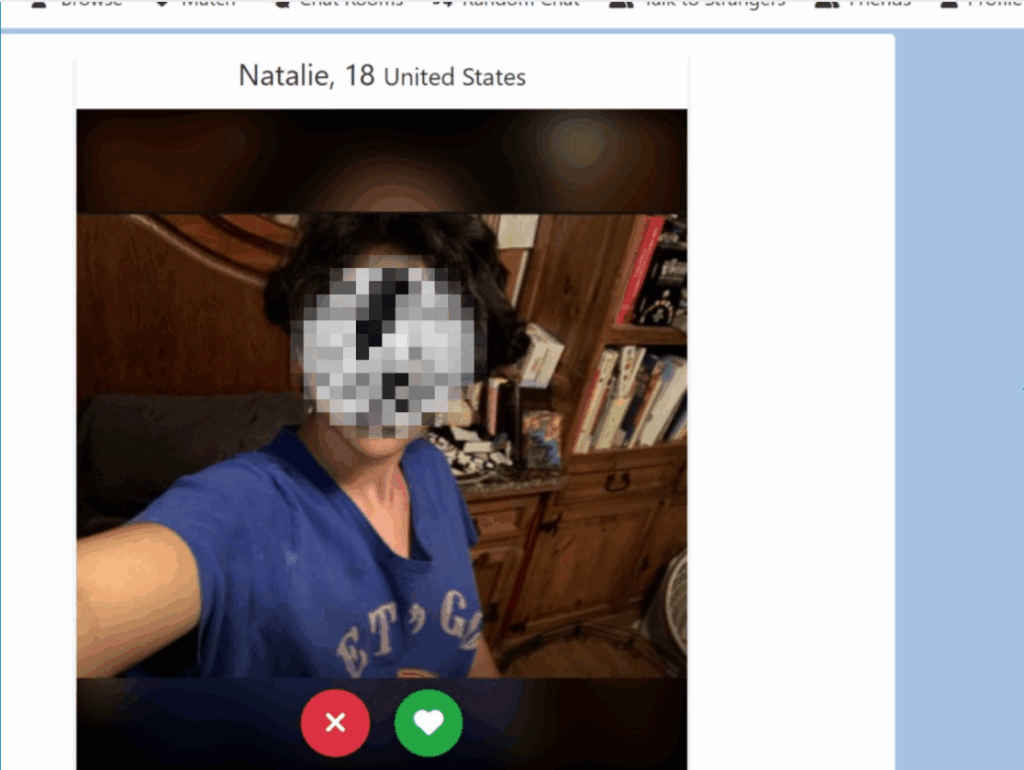
To use Chatblink, you can often start chatting immediately as a guest. The site emphasizes its ability to connect you with random users quickly.
Users can skip to the next person if a connection isn’t made, making it efficient for finding someone compatible. Themed rooms also exist, allowing users to join discussions around specific interests, which can be a good starting point for finding a crush with shared hobbies.
Other Legit Free Options
Beyond dedicated chat sites, several other platforms offer free avenues for online crush chats, each with unique features, pros, and cons.
OmeTV
OmeTV is a popular random video chat platform that connects users worldwide. It’s often seen as an alternative to Omegle. While primarily video-based, it includes a message translation feature for seamless communication, which can be useful if your crush speaks a different language. OmeTV is ad-free and available on both mobile and web, offering broad accessibility.
•Pros: Instant video connection, large user base, message translation, ad-free.
•Cons: Primarily video-based, which might not be suitable for all users seeking text-only chat.
•Safety Notes: Significant safety concerns exist, especially for minors. OmeTV connects users randomly without verification, lacks effective moderation, and has no age verification or parental controls. Its
Safe Mode is reportedly gone, making it a high-risk platform for unsupervised interactions.
Discord Public Communities
Discord is a versatile communication platform that allows users to interact through text, voice, and video. While not a traditional
‘chat site,’ it hosts countless public communities (servers) dedicated to a vast range of interests, including dating and making new friends.
•Pros: Highly organized with topic-based channels, large and diverse user base, persistent chat history, and options for voice and video calls.
•Cons: Requires sign-up, can be overwhelming to navigate, and moderation quality varies significantly between servers.
•Safety Notes: Users must be cautious and vet servers before joining. Look for servers with clear rules, active moderation, and age verification systems, especially for dating-focused communities.
Reddit Real-Time Chat Channels
Reddit, known for its forum-style discussions, also offers real-time chat channels within its communities (subreddits). These channels allow for live conversations among members of a specific subreddit, providing a space for more immediate interaction than a typical Reddit thread.
•Pros: Based on shared interests, which provides a natural conversation starter. The user base is vast and diverse.
•Cons: Not all subreddits have chat channels enabled. The quality and activity level of chat channels can vary greatly.
•Safety Notes: Moderation is handled by volunteer moderators for each subreddit, so the level of safety can be inconsistent. It is important to stick to well-moderated, SFW (Safe for Work) subreddits.
Comparison Table
| Platform | Sign-up needed? | Main format | Key pros | Key cautions | Link |
| Chatib.us | No (for guest chat) | Text-based chat rooms | No registration, simple interface, themed rooms (e.g., Dating) | Basic features, potential for bots or spam | https://www.chatib.us/ |
| Chatblink.com | No (for guest chat) | Random one-on-one text chat & chat rooms | Quick matching, simple to use, themed rooms | Some sources mention it as an ‘adult cam platform’, so caution is advised | https://www.chatblink.com/ |
| OmeTV | No | Random one-on-one video chat | Large user base, message translation, ad-free | High safety risk, especially for minors; primarily video-based | https://ome.tv/ |
| Discord | Yes | Text, voice, and video chat in community servers | Interest-based communities, persistent chat history, versatile features | Can be overwhelming, moderation varies by server | https://discord.com/ |
| Yes | Real-time text chat in subreddit channels | Interest-based communities, large user base | Inconsistent chat channel availability and moderation | https://www.reddit.com/ |
Step-by-Step — Start an Online Crush Chat for Free
Starting a conversation with your crush on a free online chat platform is straightforward, especially on sites designed for quick, anonymous access. Here’s a step-by-step guide for the featured platforms.
On Chatib.us
Chatib.us is designed for immediate access, making it easy to jump into a conversation.
1.Land on the Homepage: Open your web browser and navigate to https://www.chatib.us/. You’ll immediately see the option to enter a chat without registration.
2.Pick a Room: On the homepage, you’ll find a list of available chat rooms. Look for rooms that align with your interests or the type of conversation you’re seeking. For crush chats, consider rooms like “Dating Chat Room” or “Singles,” if available, or general rooms where people discuss hobbies and interests. If you don’t see a specific room, the main lobby is always an option.
3.Set Your Nickname: Before entering, you’ll be prompted to choose a username. Select something that is friendly, appropriate, and doesn’t reveal any personal information. This nickname will be how others identify you in the chat room.
4.Enter and Chat: Once you’ve chosen a room and a nickname, you can enter the chat. You’ll see ongoing conversations. To participate, simply type your message into the input box at the bottom of the screen and press Enter. Remember to observe the chat for a few moments to understand the flow of conversation before jumping in.
5.Chat Etiquette: Be polite and respectful. Avoid spamming or using offensive language. If you find someone you’d like to chat with privately, most platforms offer a private message (PM) function, often by clicking on their username in the participant list.
On Chatblink.com
Chatblink.com focuses on quick, often random, connections.
1.Access the Site: Go to https://www.chatblink.com/. You’ll likely be presented with options to join chat rooms or start a random chat.
2.Choose Your Mode: For one-on-one crush chat, the random chat feature is most relevant. Click on the option to start a random chat or to connect with a stranger.
3.Matchmaking Steps: The platform will then attempt to pair you with another user. This process is usually instant. If you’re not satisfied with the match, look for a “Next” or “Skip” button to quickly move to another random user. This allows you to cycle through users until you find someone you connect with.
4.Using Filters (if available): While Chatblink emphasizes randomness, some versions or sections of the site might offer basic filters (e.g., gender preferences). If these are available, use them to refine your search, but be aware that extensive filtering often requires registration.
5.Start the Conversation: Once connected, initiate the chat. Since it’s a random pairing, a simple “Hi, how are you?” or “Where are you from?” can be good icebreakers. Be prepared to introduce yourself and your interests briefly.
General steps for other platforms
For platforms like Discord or Reddit, which are not solely dedicated to anonymous chat, the process involves a few more steps, but still offers free ways to connect.
1.Profile Basics (if required): If the platform requires registration (like Discord or Reddit), create a basic profile. Use a username that doesn’t reveal personal information. You don’t need to fill out extensive details; keep it minimal for privacy.
2.Room/Community Selection: Search for communities or servers that align with your interests. For example, on Discord, look for servers related to your hobbies, games, or even specific dating/friendship servers. On Reddit, find subreddits that discuss topics you’re passionate about. The more specific the community, the higher the chance of finding someone with shared interests.
3.Observe and Engage: Before directly messaging someone, spend some time observing the community. Understand the general tone, rules, and common topics of discussion. Participate in public conversations in relevant channels. This helps you get a feel for the community and identify potential crushes based on their interactions.
4.First Message (Public or Private): Once you’ve identified someone you’d like to chat with, you can either respond to one of their public messages in a thread or, if the platform allows and it’s appropriate, send a private message. Your first message should be polite, relevant to a shared interest, and non-intrusive. Avoid generic greetings; instead, reference something specific they said or posted.
Conversation Starters & Etiquette
Starting a conversation with a crush online can be daunting, but with the right approach, you can make a great first impression. Remember, the goal is to be engaging, respectful, and authentic.
10 Practical Openers
1.Reference a Shared Interest: “Hey, I saw you’re into [hobby/game/topic] too! What’s your favorite part about it?”
2.Comment on Their Public Activity: “That was a really insightful comment you made in the [room/channel name] about [topic]. I totally agree with [point].”
3.Ask an Open-Ended Question: “What’s something new you’ve learned or tried recently?”
4.Use a Lighthearted Observation: “This chat room is pretty lively tonight! Anything interesting happening?”
5.Offer a Compliment (Non-Physical): “I really appreciate your perspective on [topic]. You always seem to have a thoughtful take.”
6.Relate to a Current Event (General, not controversial): “Did you catch that [popular movie/show/game release]? What did you think?”
7.Ask for a Recommendation: “I’m looking for new [music/books/games]. Any recommendations based on [their known interest]?”
8.Share a Quick, Relevant Anecdote: “Your comment about [topic] reminded me of something funny that happened to me recently…”
9.Play a Simple Game (if appropriate for the platform): “Anyone up for a quick round of [simple chat game]?”
10.Direct and Honest (if you’re feeling bold): “Hi, I’ve noticed you in this chat/server, and I find your comments really interesting. Would you mind if I sent you a private message?”
What to Avoid
•Generic “Hey” or “Hi”: These are easily ignored and don’t provide a hook for conversation.
•Overly Personal Questions: Avoid asking about their age, location, or relationship status right away. This can come across as intrusive.
•Physical Compliments: Unless you know the person well and have established rapport, avoid comments on their appearance. It can be creepy or make them uncomfortable.
•Controversial Topics: Steer clear of politics, religion, or other sensitive subjects in initial conversations.
•Spamming or Excessive Messaging: If they don’t reply immediately, don’t send multiple messages. Give them space.
Reading Cues
Pay attention to their responses. Are they asking questions back? Are their replies detailed or short? If they’re giving one-word answers or not engaging, they might not be interested in chatting, or they might be busy. Respect their cues and don’t push the conversation.
Ending Politely
If the conversation is winding down, or you need to leave, end politely. “It was great chatting with you! I need to go now, but maybe we can talk again soon?” or “Thanks for the conversation, I enjoyed it!” This leaves a positive impression and opens the door for future interaction.
Safety & Privacy
Online crush chats can be a fun way to connect, but prioritizing your safety and privacy is paramount. Free platforms, especially those with anonymous features, require extra vigilance. Always remember that the internet is not entirely anonymous, and caution is always advised.
Identity Protection
Never share Personally Identifiable Information (PII) with anyone you meet on these platforms, especially in early interactions. PII includes:
•Your full name
•Your exact address
•Your phone number
•Your email address
•Your social media handles (unless you are comfortable with them having access to your public profiles)
•Your workplace or school
•Any financial information
Be wary of anyone who immediately asks for this information. A genuine connection will develop over time, and personal details should only be shared when you feel completely comfortable and have verified the person’s identity through other means (e.g., video calls with trusted individuals, meeting in a public place after significant interaction).
Screenshots
Be aware that anything you type or share in an online chat can be screenshotted and saved by the other person. Assume that your conversations are not private and could potentially be shared. This awareness should guide what you choose to disclose and how you express yourself.
Reporting Users
Most reputable chat platforms, even free ones, have mechanisms for reporting users who violate terms of service, engage in harassment, or exhibit suspicious behavior. Familiarize yourself with the reporting process on each platform you use. Common reasons to report include:
•Harassment or bullying
•Sending unsolicited explicit content
•Impersonation
•Spamming or phishing attempts
•Violating age restrictions
Phishing Red Flags
Phishing is a common tactic used by malicious actors to trick you into revealing personal information. Be alert for these red flags:
•Links to suspicious websites: Do not click on links sent by strangers, especially if they promise free money, exclusive content, or ask for login details.
•Requests for money: Never send money or gift cards to someone you’ve only met online, regardless of their story.
•Urgent or threatening language: Phishing attempts often create a sense of urgency or fear to pressure you into acting quickly.
•Poor grammar or spelling: While not always a definitive sign, many phishing messages contain noticeable errors.
Age Restrictions
Most online chat platforms, especially those that facilitate interaction with strangers, have strict age restrictions, typically 18+. These are in place to protect minors from potentially harmful interactions. Always adhere to the platform’s age requirements. Attempting to bypass age gates can lead to account suspension and expose you to risks. For example, Chatib.us states its site is limited to 18+ users. [6] OmeTV, despite its popularity with teens, has been criticized for lacking effective age verification. [3]
Platform Rules:
•Chatib.us Safety: https://www.chatib.us/user/safety
•Discord Community Guidelines: https://discord.com/guidelines
•Reddit Content Policy: https://www.redditinc.com/policies/content-policy
Recent Data & Trends
The landscape of online communication is constantly evolving, with new platforms emerging and user behaviors shifting. Understanding current data and trends can provide valuable context for online crush chats.
•Widespread Messaging App Usage: Over three billion people actively use messaging apps around the world as of June 2025, highlighting the pervasive nature of digital communication. WhatsApp leads this trend with 2.5 billion users.
•Preference for Live Chat: A significant portion of consumers, 41%, prefer real-time customer service via live chat over other methods like email or phone support. This indicates a general comfort and preference for immediate text-based interaction.
•Safety Concerns in Online Interactions: Despite the prevalence of online communication, safety remains a significant concern. A Kaspersky report indicated that 55% of people who date online have experienced some form of threat or problem. [9] More specifically, among all online dating users, 38% have reported receiving unsolicited sexually explicit messages or images.
•Time Spent on Social Media: On average, individuals spend approximately 143 minutes (2 hours and 24 minutes) per day on social media platforms. This substantial time commitment underscores the potential for online interactions, including crush chats, to become a regular part of daily life.
FAQs
Q: Is online crush chat really free?
A: Yes, the platforms discussed in this article, such as Chatib.us, Chatblink.com, and public communities on Discord and Reddit, offer free ways to chat. They typically rely on advertising or premium features for revenue, but basic chat functionality is free.
Q: Are messages anonymous?
A: On platforms like Chatib.us and Chatblink.com, you can chat as a guest with a chosen nickname, offering a high degree of anonymity. On platforms like Discord and Reddit, your username is visible, but you control how much personal information you share in your profile.
Q: How do I block or report a user?
A: Most platforms have a mechanism to block or report users. This is usually found by clicking on the user’s profile or message and looking for options like “Block,” “Report,” or “Ignore.” Familiarize yourself with the specific platform’s safety features.
Q: Can I recover chats if I accidentally close the window?
A: For guest chats on platforms like Chatib.us or Chatblink.com, once you close the window, the chat history is typically lost. For platforms requiring registration, like Discord or Reddit, chat histories are usually persistent and can be accessed later.
Q: Are bots allowed on these services? A: Some platforms may have bots for moderation or entertainment purposes. However, if you encounter a user who seems to be a bot (e.g., repetitive messages, strange links, no genuine interaction), it’s best to disengage and report them if they are violating platform rules.
Q: What ages can use these services?
A: Most online chat services that facilitate interaction with strangers have an age restriction of 18+. It is crucial to respect these age gates to ensure your safety and comply with legal requirements. Platforms like OmeTV have been criticized for not enforcing age restrictions effectively, which poses risks.
Q: How can I tell if someone is genuinely interested?
A: Look for engagement cues: do they ask questions back? Do their responses show thought and effort? Are they willing to continue the conversation over time? If they give short, one-word answers or don’t reciprocate interest, they might not be genuinely engaged.
Q: Is it safe to meet someone in person from an online crush chat?
A: Meeting someone in person from an online chat carries risks. If you decide to meet, always do so in a public place, tell a trusted friend or family member where you are going and who you are meeting, and arrange your own transportation. Do not share your home address. It’s advisable to have several video calls before considering an in-person meeting.